- List your property - it's free
- Sign up or Log in
- English- en
- THB - ฿
- Buy
- Thailand Property For Sale
- Thailand Real Estate
- See Newest Listings
- Why Buy with FazWaz
- Rent
- Sell
- Financing
- Projects
- Advice
- Join Us We're Hiring!

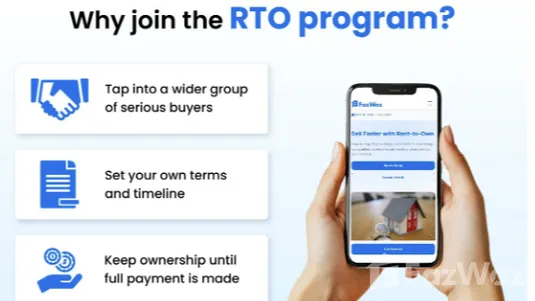
If you already have a property listed on FazWaz and want to attract more serious buyers, you can now enable Rent-to-Own in just a few clicks.
You can view the instructions for desktop browsers here.
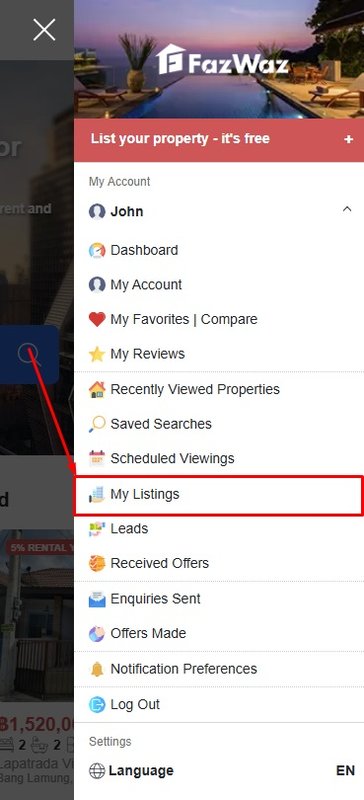
1. Go to ‘My Listings’
Log in to your FazWaz account and go to the 'My Listings' page.
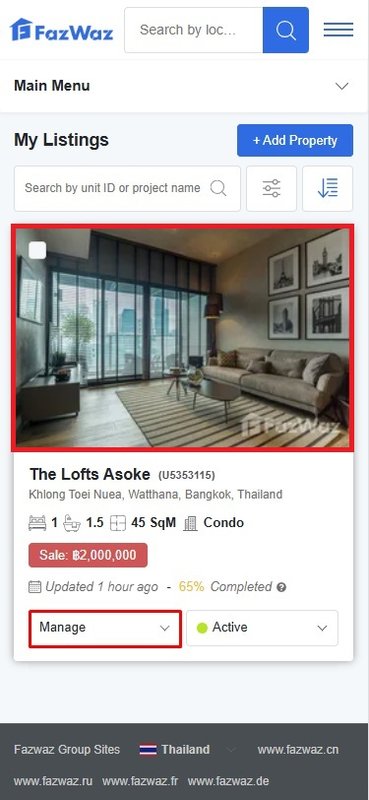
2. Tap ‘Manage’ and then ‘Edit Listing’
Find the listing you want to opt into Rent-to-Own and first tap ‘Manage’.
Then, in the dropdown options, tap either:
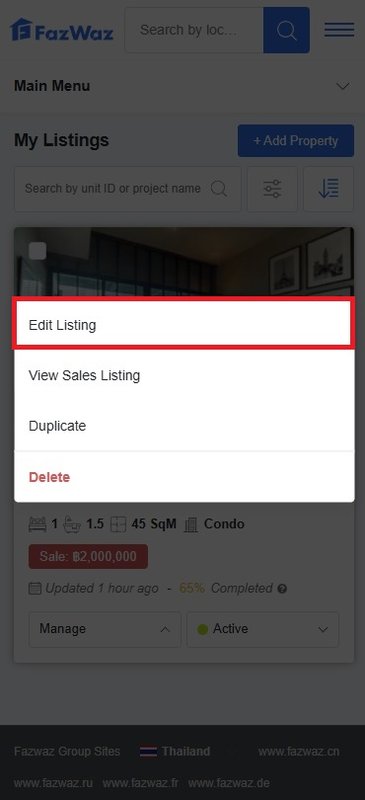
This will open the listing editor for that property.
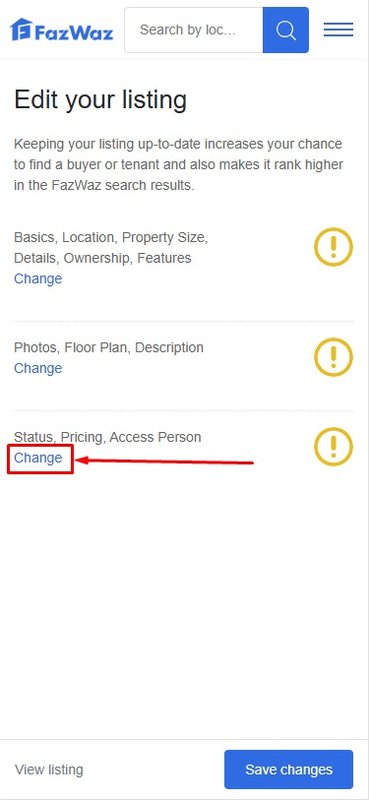
3. Tap ‘Change’ in STEP 3
Scroll down to STEP 3 of the listing editor.
Tap the third ‘Change’ button — located below the section labeled “Status, Pricing, Access Person”.
4. Go to the ‘Pricing’ Tab
Now tap the second tab labeled ‘Pricing’.
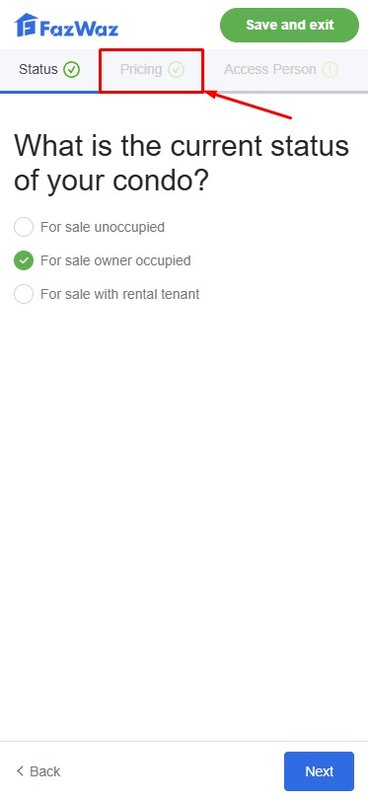
This is where you’ll find the Rent-to-Own box.
5. Enable Rent-to-Own
On the ‘Pricing’ tab, scroll down until you see the Rent-to-Own box.
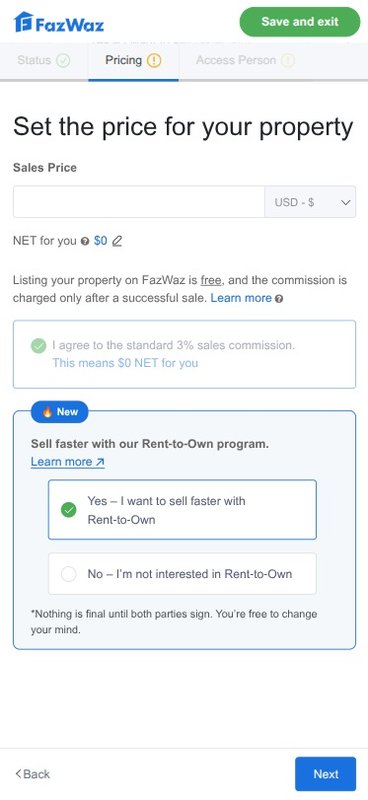
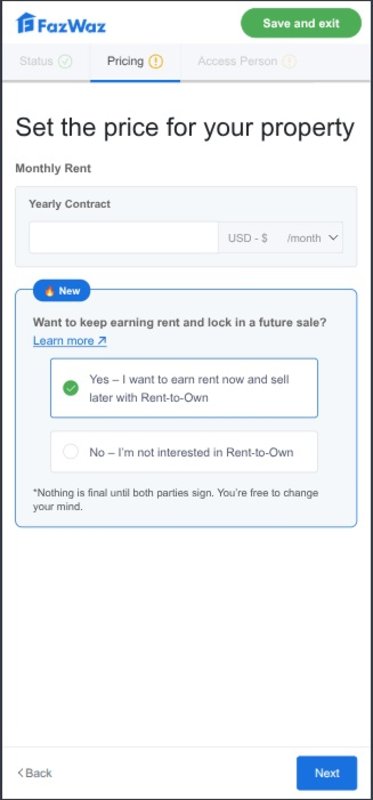
6. Tap ‘Save and Exit’
After selecting the Rent-to-Own option, tap ‘Save and Exit’ to confirm.
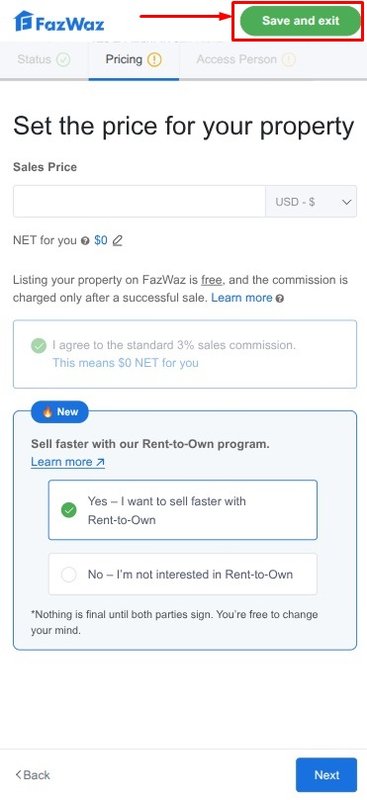
Your listing will now be updated and included in FazWaz’s Rent-to-Own program.
Want to learn more about how Rent-to-Own works?
👉 Explore the full seller program here
If you're ready to offer Rent-to-Own for your listing, just follow the steps above — or reach out to our team anytime at rto@fazwaz.com if you need help.
You can view the instructions for desktop browsers here.

 Language
  Price display