- List your property - it's free
- Sign up or Log in
- English- en
- THB - ฿
- Buy
- Thailand Property For Sale
- Thailand Real Estate
- See Newest Listings
- Why Buy with FazWaz
- Rent
- Sell
- Financing
- Projects
- Advice
- Join Us We're Hiring!

On Mobile:
Step 1a - Click the three bars at the top-left of the screen.
Step 1b - Click "Sign in / Create Account" at the top of the menu.
Step 2 - Click "Sign up" on the bottom of the popup window.
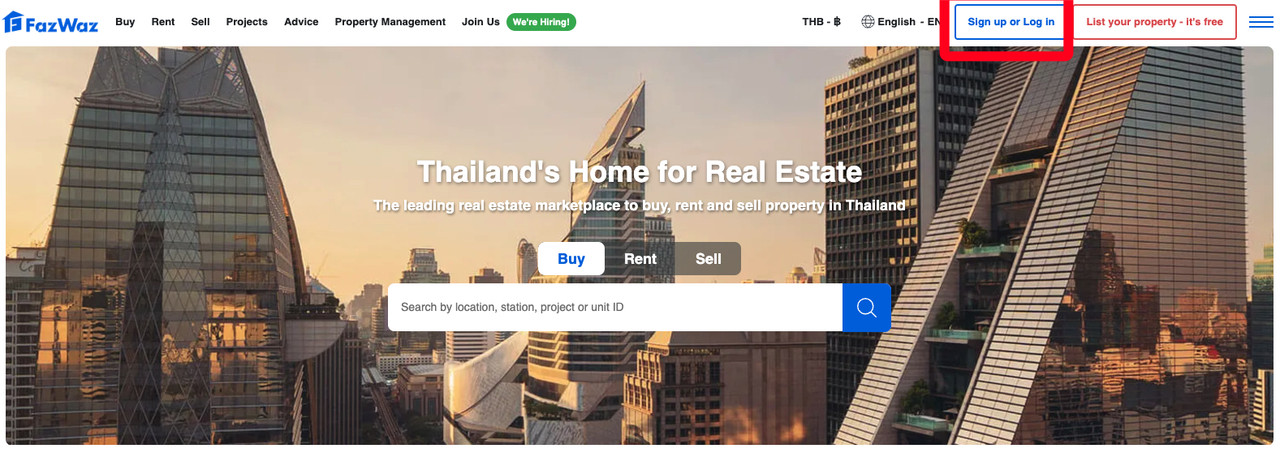
On Desktop:
Step 1 - Click "Sign in" at the top-right of the screen.
Step 2 - Click "Sign up" on the bottom of the popup window.
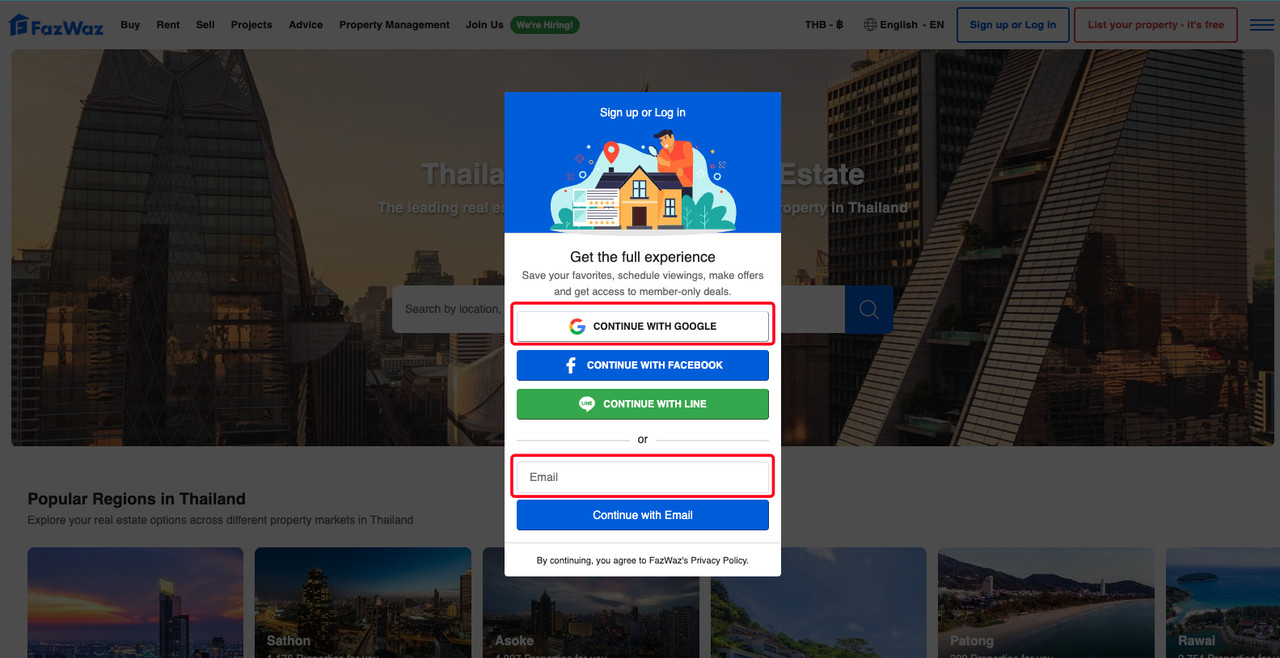
On Both:
Step 3 - Finish up with your Name and Phone number, that's it!
Share on FB Share on WeChat Share on WhatsApp Share on LINE Send via Email
See Related Articles

 Language
  Price display